If you are wondering how to know if someone blocked you on WhatsApp, the short answer is that WhatsApp never tells you directly — but the combination of a single message tick, no profile photo updates, hidden last seen, failed calls, and group-add failures points strongly toward it. No single sign is proof on its own, because every one of these can also be caused by ordinary privacy settings, so this guide walks you through each sign, its innocent explanation, and how to read them together before you jump to conclusions.
Blockages on WhatsApp happen more often than people admit: an old friend stops replying, a contact’s profile photo vanishes overnight, and suddenly you are staring at your phone wondering what went wrong. The uncertainty is the worst part. WhatsApp deliberately keeps blocking a secret to protect people’s privacy, which means there is no notification, no badge, and no official “you have been blocked” message — on Android or iPhone, in 2026 or any earlier year.
That said, blocking leaves a trail. This article breaks down the five reliable signs that suggest someone has blocked you on WhatsApp, explains the innocent explanation behind each one, and shows you how to confirm your suspicion without doing anything embarrassing. You will also find practical advice on what to do next if you confirm a block, plus answers to the most common questions.
- How WhatsApp Blocking Actually Works
- The 5 Reliable Signs Someone Blocked You
- 1. Their Profile Photo Disappears or Never Updates
- 2. Your Messages Show a Single Tick Only
- 3. WhatsApp Calls Never Connect
- 4. You Cannot Add Them to a Group
- 5. Last Seen and Online Status Are Hidden
- What to Do Next If You Think You Are Blocked
- Tips for Interpreting the Signs Correctly
- Frequently Asked Questions
- Conclusion
How WhatsApp Blocking Actually Works
When someone blocks you on WhatsApp, the app quietly cuts every communication channel between you and them. Your messages stop being delivered, your voice and video calls do not ring through, and you lose visibility into their profile details. WhatsApp makes this invisible on purpose: the company says it does not make blocking “obvious to the person being blocked” in order to protect users’ privacy.
That design choice means you have to play detective. There is no block list you can check, no status indicator on the contact, and no setting that reveals the truth. The blocked contact does not even need to delete you from their phone — blocking works whether or not you are in their contacts.
One important mechanic to understand: blocking is not retroactive. Messages you sent before the block that already showed two blue ticks were read — nothing changes about them. And if the person ever unblocks you, any messages you sent while blocked will never be delivered; they are not queued on a server waiting for a reunion.
Finally, blocking only affects WhatsApp. It does not block your phone number for regular calls or texts, and it does not affect your other contacts. With that foundation in place, you are ready for the real question: how to know if someone blocked you on WhatsApp comes down to reading five specific signs, which we cover next.
The 5 Reliable Signs Someone Blocked You
If you are trying to work out how to know if someone blocked you on WhatsApp, check these five signs in order, and always read the innocent explanation beside each one before drawing a conclusion.
1. Their Profile Photo Disappears or Never Updates
One of the most noticeable signs: a contact whose profile photo you used to see now shows only the default gray silhouette, and their photo never updates again. When you are blocked, WhatsApp hides the person’s current profile photo from you, so you see whatever was cached or nothing at all.
The innocent explanation: the person may have changed their privacy settings so their profile photo is visible to “My Contacts” or “Nobody” (Settings → Privacy → Profile Photo). They may also have simply removed their photo. This setting alone is extremely common, so a missing profile photo on its own proves nothing — it becomes meaningful only alongside the other signs below.
2. Your Messages Show a Single Tick Only
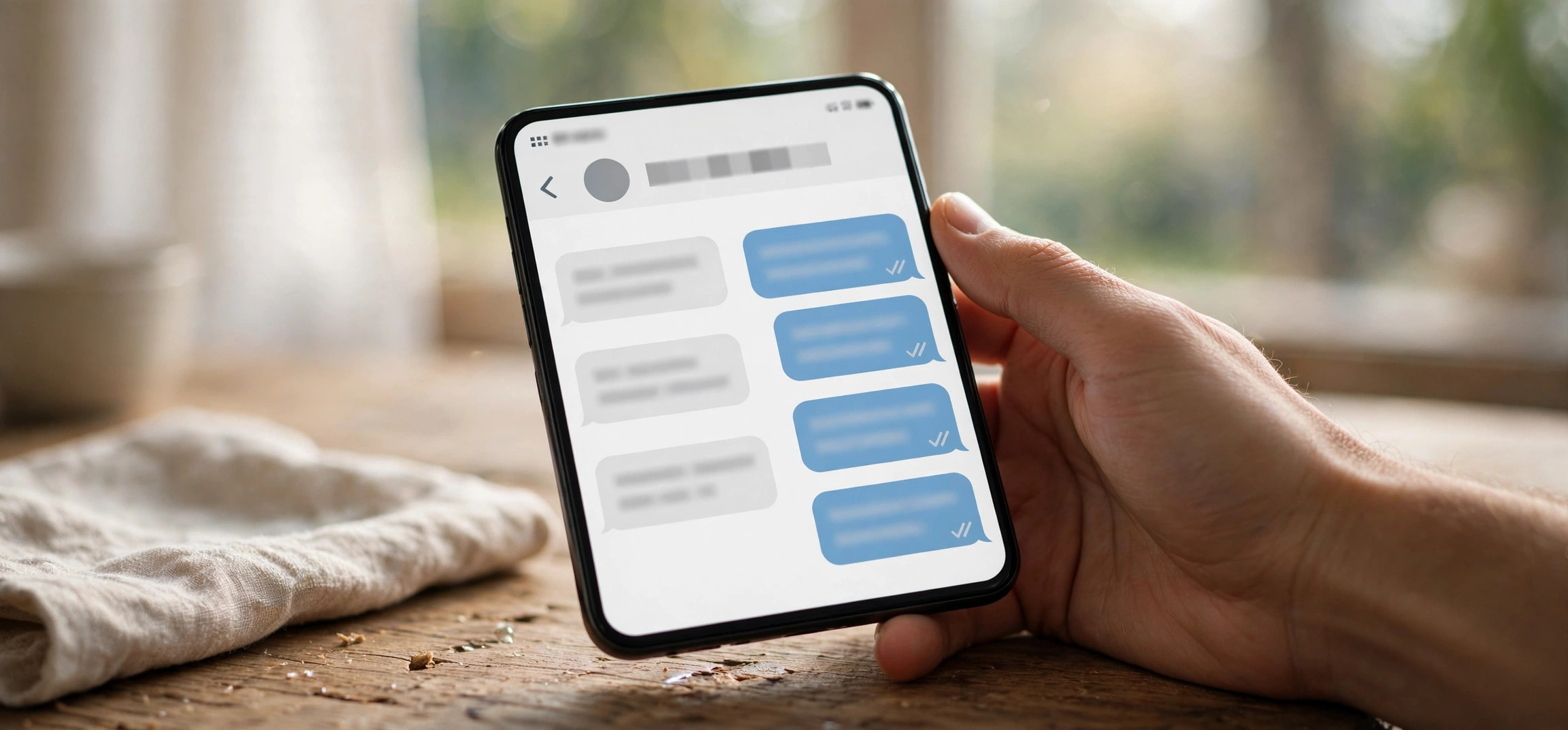
The classic giveaway. On WhatsApp, one gray tick means your message was sent, two gray ticks mean it reached the other person’s phone, and two blue ticks mean it was read. If every message you send to this person sits at a single tick for hours or days — never reaching two ticks — it is a strong signal that you may be blocked. Blocked messages are sent from your device but never delivered to theirs.
The innocent explanation: their phone may be off, they may have no internet connection, they may have changed their number, or they may have uninstalled WhatsApp. A single tick is also what you see when someone’s phone is simply dead for a day or two. The key test is time: if the single tick persists for many days while the person is clearly active elsewhere (for example, you know they are online daily), the “dead phone” explanation stops making sense.
3. WhatsApp Calls Never Connect
Try a voice or video call. When you are blocked, WhatsApp calls to that person never connect — the call does not ring on their end and usually ends with a “ringing” state that goes nowhere or fails outright. Every attempt behaves the same way, call after call.
The innocent explanation: they could have no data connection, Do Not Disturb enabled, or call privacy restrictions in place. A single failed call is meaningless. But if calls consistently fail over several days, especially combined with single-tick messages, the pattern is hard to explain away. Note that calling repeatedly to “test” can feel harassing — make your determination with one or two tries, not twenty.
4. You Cannot Add Them to a Group
This is one of the strongest technical signals. Create a new WhatsApp group and try adding the contact (you can do this without sending anything — just reach the member-selection step). If you are blocked, WhatsApp will not let you add them and shows an error such as “Couldn’t add [name]” or tells you the contact can’t be added. This test rarely produces false positives, because WhatsApp prevents blocked users from adding their blockers to groups.
The innocent explanation: the person may have set their group privacy so only contacts or specific people can add them (Settings → Privacy → Groups). If you are not saved in their contacts and they chose “My Contacts” for groups, you would get a similar rejection. Still, combined with the message and call signs, a failed group add is compelling evidence.
5. Last Seen and Online Status Are Hidden
Normally you can see “last seen” or “online” under a contact’s name in the chat header. When you are blocked, this line disappears entirely — you see neither last seen nor online, ever. WhatsApp blocks status visibility for blocked contacts as part of the cutoff.
The innocent explanation: hiding last seen is one of the most-used privacy settings on WhatsApp. Millions of people set last seen to “Nobody” and turn off the online indicator. So, like the profile photo, this sign on its own means almost nothing. It only gains weight as part of the full picture: hidden status plus single ticks plus failed calls plus no profile photo plus failed group add is about as certain as you can get without an official answer.
What to Do Next If You Think You Are Blocked
First, take a breath and sit with the evidence. When figuring out how to know if someone blocked you on WhatsApp, run through all five signs honestly, giving each innocent explanation its fair weight. If only one or two apply, the odds are good it is privacy settings or a dead phone, not a block. If all five apply consistently over several days, you probably have your answer.
Second, do not create drama to confirm it. Common “tests” people try — asking a mutual friend to add the person to a group, messaging from a second number, or spamming calls — tend to backfire socially. If the person did block you, these tactics confirm their decision was right. If they did not, you have now made things weird for no reason.
Third, respect the boundary. Blocking is someone’s way of setting a limit without confrontation. If you genuinely need to reach them — an unresolved bill, a shared work matter, a real emergency — use a different, appropriate channel and keep it brief and civil. One polite message outside WhatsApp is enough. If they do not respond, that is also an answer.
Fourth, check whether it could be you who needs to fix something. Occasionally what looks like being blocked is actually a problem on your side: an outdated WhatsApp version, a connectivity issue, or the contact’s number being saved incorrectly in your phone. Make sure your app is updated (Play Store on Android, App Store on iPhone) and that you have a working data connection before concluding anything.
Finally, consider the relationship itself. Blocks often follow a misunderstanding that can be repaired with time. Give it space. Many blocks are temporary emotional reactions, and the person may unblock you on their own — though, as noted earlier, messages you send in the meantime will never arrive, so there is no point queueing up apologies on WhatsApp while blocked. For general guidance on keeping your chats safe and recoverable, see our guide on how to recover deleted WhatsApp messages without a backup.
Tips for Interpreting the Signs Correctly
Timing matters more than any single symptom. Evaluate the signs over at least a few days, not a few hours. A phone can be off for a weekend; a block is forever until reversed.
Look for the cluster, not the lone signal. One hidden last seen means privacy settings. One failed call means bad signal. The honest answer to how to know if someone blocked you on WhatsApp is the pattern: five signs together — no photo, single ticks for days, dead calls, failed group add, no status — is the pattern WhatsApp blocking produces. WhatsApp’s own help center notes that it intentionally does not reveal block status, which is exactly why the pattern approach is the only reliable one.
Do not confuse “deleted account” with “blocked.” If the person’s number is no longer registered on WhatsApp at all, you will see similar symptoms (no photo, single ticks, no status). The difference: you will also be unable to see them in some contexts where a blocked contact still appears, and a mutual friend’s view will look different from yours. If a mutual friend can still message them normally, blocking is the likelier explanation for your experience.
Keep your own WhatsApp healthy while you investigate. An outdated app can glitch in ways that mimic blocking — stuck ticks, photos not loading, calls failing. Update to the latest 2026 build, restart the app, and check your connection. If you switch devices during all this, make sure you transfer your WhatsApp chats properly so you do not lose the conversation history you are trying to read.
One more practical note: if you share the same phone number across two devices, notification and delivery behavior can get confusing. Our guide on how to use WhatsApp on two phones with the same number explains what is normal there, so you do not misread a multi-device quirk as a block.
Frequently Asked Questions
Can I know for sure if someone blocked me on WhatsApp?
There is no 100% official confirmation — WhatsApp deliberately hides block status to protect privacy. However, when all five signs align (no profile photo, persistent single tick, calls that never connect, failed group adds, hidden last seen) over several days, you can be as certain as the system allows. No third-party app can tell you definitively either; apps claiming to do so are scams.
Will the person know if I check whether they blocked me?
No. Simply looking at their profile, sending a message, or attempting a call sends no special notification. The only slight risk is behavioral: if you repeatedly call or message, they may notice the attempts, and a mutual friend asked to run a group-add test could mention it. Quiet observation is invisible; interrogation is not.
What happens to the messages I sent before I was blocked?
Nothing changes about messages that were already delivered or read — the ticks stay as they were. Once you know how to know if someone blocked you on WhatsApp, the mechanics are simple: messages you send after being blocked leave your phone with a single tick and are never delivered, even if the person later unblocks you. They are not stored on WhatsApp’s servers waiting; they are simply dropped.
If someone blocks me, can I still see them in a mutual group?
Yes. Blocking does not remove either of you from groups you already share — you can still see each other’s messages there, and they can see yours. What you cannot do is add the person to a new group. Some people use a mutual group to gauge whether they are blocked, but remember that reading too much into group behavior can mislead you.
How can I unblock myself on WhatsApp?
You cannot unblock yourself — only the person who blocked you can reverse it, from their own Settings → Privacy → Blocked Contacts. Workarounds like deleting and reinstalling WhatsApp, changing your number, or using a second account do not lift someone else’s block on you. If reconciliation matters, the respectful path is a single, polite message through another channel, not technical tricks. WhatsApp’s official guidance on blocking is in their help center.
Conclusion
Learning how to know if someone blocked you on WhatsApp comes down to reading a pattern, not a single clue. WhatsApp will never announce it, but the five-sign cluster — vanished profile photo, messages stuck on one tick, calls that never connect, failed group adds, and hidden last seen — is the most reliable picture available in 2026. Each sign has an innocent explanation, so give privacy settings and dead phones their due before concluding anything.
If the evidence points to a block, the mature move is acceptance, not investigation. Respect the boundary, keep any outside contact brief and civil, and give the relationship time. Blocks are often temporary, and the messages you do not send while blocked will not be missed — but the restraint you show will be remembered.